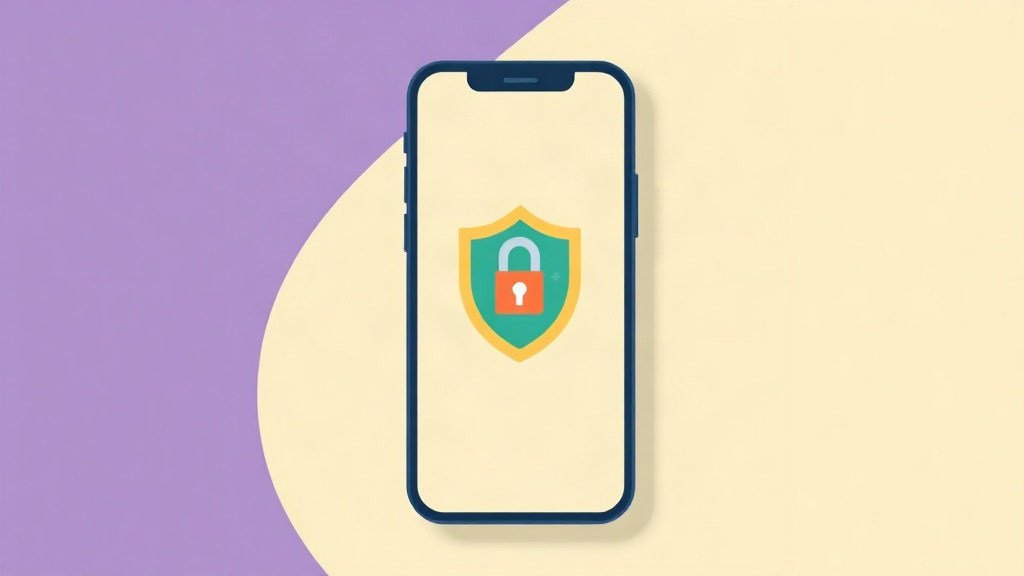
Open a GLP-1 tracker after a few months of honest use and look at what it holds. The name of a prescription medication. The date, time and size of every dose. Your weight, week by week. Notes about nausea, appetite, energy and injection sites. What you ate and how much you drank. Few files on your phone say more about you, and almost none say it as plainly.
This article makes one argument: a record like that should live on your phone and nowhere else. Not because every company that runs a server is careless, and not because disaster is waiting around the corner, but because the copy of your health data that never leaves your hand is the only copy whose future you fully control.
This is not ordinary app data
Plenty of people are open about being on a GLP-1. Plenty are not, and both choices are legitimate. Weight history alone is something many adults have never shared with another person; combine it with a prescription record and an appetite diary and you have a document most of us would not hand to a stranger, an employer, or an advertiser.
Health data also has an unusually long shelf life. A leaked password can be changed the same afternoon. A medication history cannot be changed, ever. That asymmetry is why your dose log deserves more caution than your podcast queue, and why the first question to ask any health app is not what it can do, but where your entries go.
Privacy labels: the disclosure most people skip
Every app on the App Store publishes a privacy label, the "App Privacy" section on its store listing. It sorts what an app collects into a few plain categories: data used to track you across other companies' apps, data collected and linked to your identity, data collected but not linked to you, and, at the strictest end, Data Not Collected, which means the developer collects nothing from the app at all.
Reading the label takes about thirty seconds and tells you more than any marketing page. Many popular health and diet apps disclose collecting health information, identifiers and usage data linked to your identity. That is legal, it is disclosed, and it is often central to how those businesses work. The label is not an accusation; it is a menu. Its job is to let you decide with open eyes, before you type your weight into anything.
What a server copy really means
When an app requires an account, your entries do not live only on your phone. They live in a database operated by someone else, and three consequences follow, none of which requires bad intent:
- A server is a target. A database holding health details for many people is exactly the kind of thing attackers go looking for, and even well-run companies spend their lives defending it. A log that exists only on one phone is not part of any large, searchable pile.
- Data can move. Companies pivot, merge, get acquired, and update their policies. The promise made when you signed up is a snapshot; the data outlives it.
- Data can be demanded. Records held on a company's server can be subject to legal requests the company must answer. Records that were never collected cannot be produced by anyone, because there is nothing to produce.
None of this makes cloud health platforms villains. Shared features, coaching, and multi-user services genuinely need servers. The point is narrower: a personal medication log does not, so the risk, however you size it, is optional. The one situation that comes closest is supporting a family member, and our guide to tracking a family member's GLP-1 journey shows arrangements that respect both the log and the person.
 GLP 1 Tracker AppNo account, no server, no analytics. The App Store label reads Data Not Collected, because there is nothing to collect.
Get the app
GLP 1 Tracker AppNo account, no server, no analytics. The App Store label reads Data Not Collected, because there is nothing to collect.
Get the app
Local-only by design
GLP 1 Tracker App takes the architectural way out. There is no account to create, so there is nothing to log in to. There is no server, so your doses, weight and side effect notes are stored on your iPhone and nowhere else. There is no analytics toolkit and there are no ads, so nothing about your usage is measured or shared. The App Store privacy label reads Data Not Collected, and payments for the optional Premium subscription run entirely through Apple, so we never see a name, an email address, or a card number.
The practical consequences are simple. There is nothing to breach, because no server holds your data. There is nothing to sell, because nothing leaves the device. And deletion is real: the delete-everything option in the app erases the only copy that exists. A privacy policy is a promise that can be rewritten; an architecture with nothing to collect has nothing to rewrite. This was one of the checklist items in our guide to choosing a GLP-1 tracker, and we think it belongs near the top of anyone's list.
The tradeoffs, stated honestly
Local-only is a design choice, and it has costs worth naming. There is no web dashboard to open on a laptop. There is no company server to restore from, so your data lives and dies with your phone and the backups you choose to keep. If those tradeoffs matter more to you than the privacy, a cloud service may fit you better; that is a fair trade to make deliberately rather than by default.
One thing you do not give up is convenience inside the phone itself. The app can read weight, steps, active energy and water from Apple Health, and that import is read-only and stays on the device like everything else. Our guide to GLP-1 tracking with Apple Health covers how the permission model keeps you in charge of every data type.
Export: portability without a server
Private should never mean trapped. Premium adds CSV and JSON export, which means the portability layer is you: send a file to your dietitian, open your history in a spreadsheet, or take everything with you to another tool whenever you like. That is the healthy direction for control to flow. A server-based app holds your data and grants you access; a local-first app holds nothing and hands you the file.
A two-minute privacy check for any health app
Whatever tracker you use, ours included, this quick audit is worth the two minutes:
- Read the App Privacy label on the store listing before downloading. "Data Not Collected" is the strictest answer.
- Notice whether the app works without an account. If an email address is required to log a dose, your data has a second home.
- Find the delete option before you need it, and check what it claims to erase.
- Check whether you can export your own data, so leaving is always possible.
- Skim the privacy policy for the words "share", "partners" and "affiliates", and see how they are used.
A GLP-1 log works best when it is honest, and honesty is easier when you know exactly who is reading: you, and no one else. Keep the log small and truthful (our two-minute daily routine is enough), keep it on your phone, and the question of who else can see it simply never comes up.
Frequently asked questions
Does the GLP 1 Tracker app collect my data?
No. The app has no account, no server, no analytics and no ads, and its App Store privacy label reads Data Not Collected. Everything you log, including doses, weight and side effect notes, is stored on your iPhone and nowhere else. Payments for the optional Premium subscription run through Apple, so we never see your name, email or card number, and the delete-everything option erases the only copy that exists.
Is it safe to put my weight and medication history in a health app?
It depends on where the entries go. A medication and weight history is sensitive, long-lived data: a leaked password can be changed the same afternoon, a health record cannot be changed, ever. Before typing anything in, read the app's privacy label, check whether it works without an account, and find the delete option. When everything stays on your phone, data that was never collected cannot leak, be sold, or be demanded.
What does Data Not Collected mean on the App Store?
It is the strictest category on an App Store privacy label, and it means the developer collects nothing from the app at all: no data used to track you, none linked to your identity, none collected anonymously. The label sits in the App Privacy section of every store listing and takes about thirty seconds to read, which makes it the fastest honest signal of how a health app treats your entries.
Why is a health tracker without an account more private?
An account means your entries live in a database operated by someone else as well as on your phone. That server copy can be breached, can change hands when companies merge or get acquired, and can be subject to legal requests the company must answer. A no-account, local-only app removes all three risks, because there is nothing stored anywhere else. The tradeoff is that your data lives and dies with your phone and the backups you keep.
Can I export my data from a local-only tracker app?
Yes, private does not mean trapped. In GLP 1 Tracker App, the optional Premium subscription adds CSV and JSON export, so you can send a file to your dietitian, open your history in a spreadsheet, or move to another tool whenever you like. The direction of control is the point: a server app holds your data and grants you access, while a local-first app holds nothing and hands you the file.